Change Time Frame All Script
The Change Time Frame All Script For MetaTrader is a forex trading script that simultaneously changes all the time frames of opened charts at once.
Description
The Change Time Frame All Script for MetaTrader is a forex trading script designed to simultaneously change all the time frames across different charts with just a single mouse click. It is a script that is ideal for traders that watch multiple charts of different currency pairs.
With this MT4 script, you don’t need to worry about the pain of changing time frames across multiple currency pairs on your chart. You simply open the script, input any time frame, and it will apply it to the entire opened chart. It is that simple.
How to Use The Change Time Frame All Script For MT4
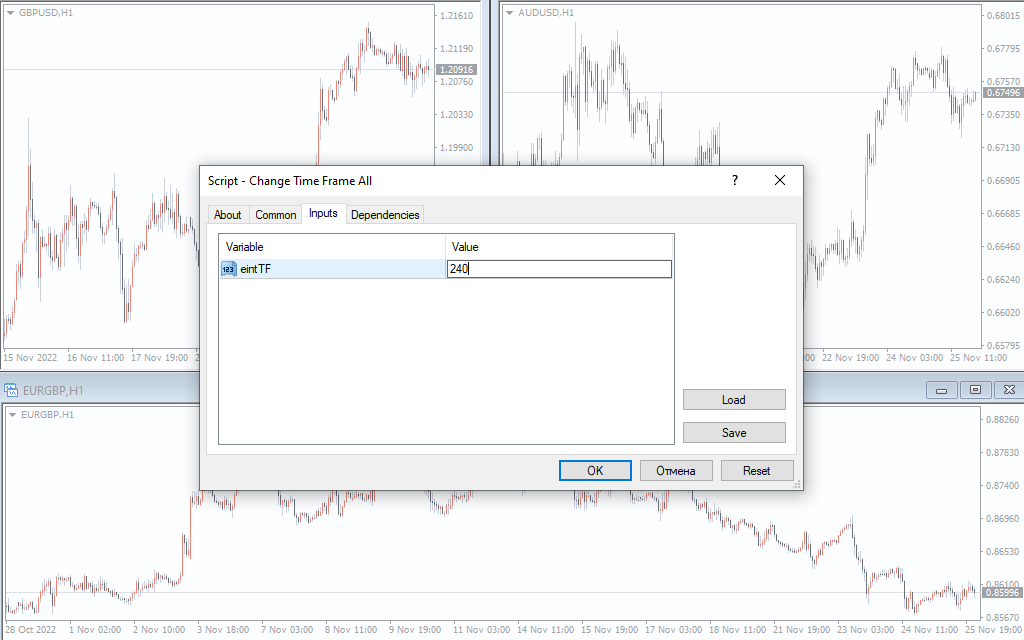
The above image shows different charts (GBPUSD, AUDUSD, EURGBP) running on the H1 timeframe. Now, let’s assume you want to change all their time frames to H4, for instance.
To do this, simply open the script from the “script” folder. Now, type the desired time frame (240 as H4, for instance) in the ‘input’ folder and execute.
Note that the script recognizes numbers only. Therefore, 1,5,15, and 30 are recognized as the M1, M5, M15, and the M30 timeframes, respectively. So, 60 minutes would represent the H1 timeframe, while the H4 time frame will be 60*4 hours, and daily will be 60* 24 hours, for instance.
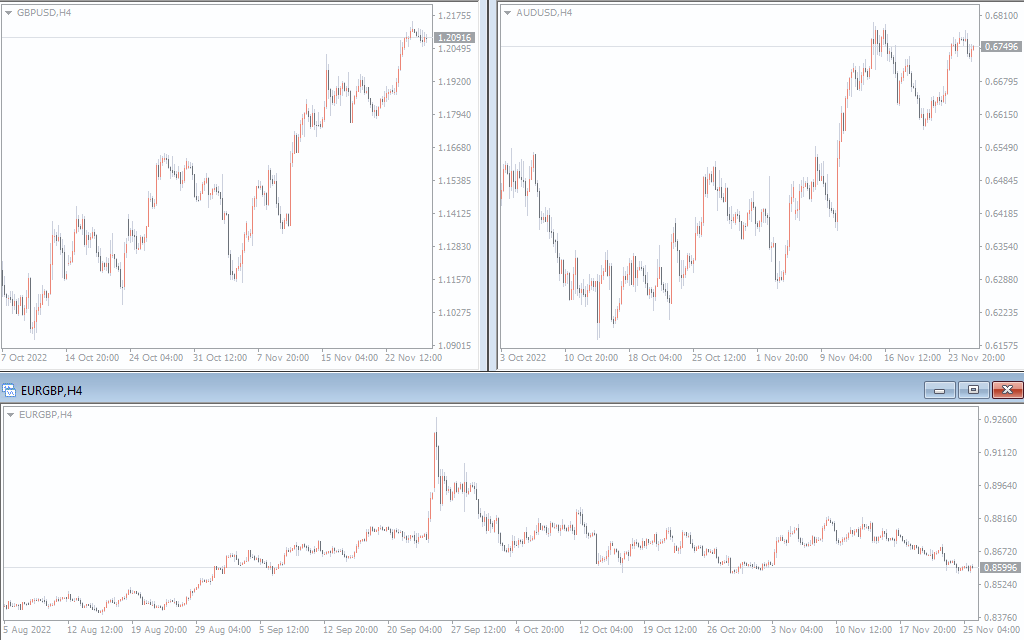
The above image shows the result after running the script. You can see that all the opened charts are currently on the H4 timeframe.
Conclusion
The Change Timeframe All Script for MT4 is a custom script that makes it possible for you to change the time frames of multiple charts at once. It would come in handy for forex traders that use multiple charts for their daily analysis. Finally, it is free to download.