FX Multi Meter Indicator
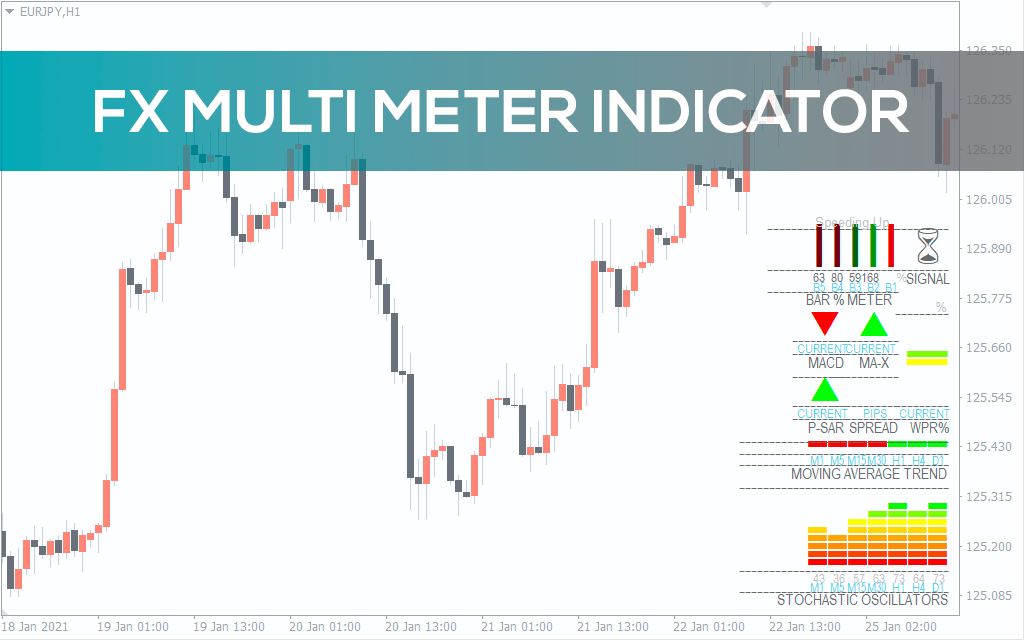
This all-in-one indicator. It was designed to give alot more precision to both trade entries and exits and provide an instant snapshot of a currency pair’s movement. Multi-Meter works on any currency or timeframe (or it should) and displays the following in the bottom right corner of the chart.
Description
The FX Multi meter indicator for Metatrader is a versatile indicator with a combination of multiple indicators. A dashboard displays the values of multiple indicators based on momentum and averages. Obviously, all the indicators values are incorporated, and a final BUY or SELL signal is provided. As the final signal of the trade direction is calculated by combining all the indicators, the signals are reliable.
If you’re looking for similarly powerful dashboard-style tools, check out our BR RSI Multi Signal Scanner Indicator and FerruFX Multi Info Indicator — both provide rich overviews for quick decision-making using multiple technical tools in one glance.
The indicator provides the entry signals and provides all necessary information related to trend and momentum. So, the trend’s strengths and weaknesses can be visually seen and understood by the individual indicators’ values. As a result, traders can use the indicator values to monitor the trade and manage it effectively and successfully exit it.
I especially appreciated how I could glance at one place and instantly see alignment (or conflict) between MACD, moving averages, and oscillators across timeframes. In fast-moving markets, that saved me a ton of decision-making time and helped filter out bad trades based on weak confluence. It’s a great tool to have, especially if you’re trading multiple pairs and need a reliable trend confirmation across indicators.
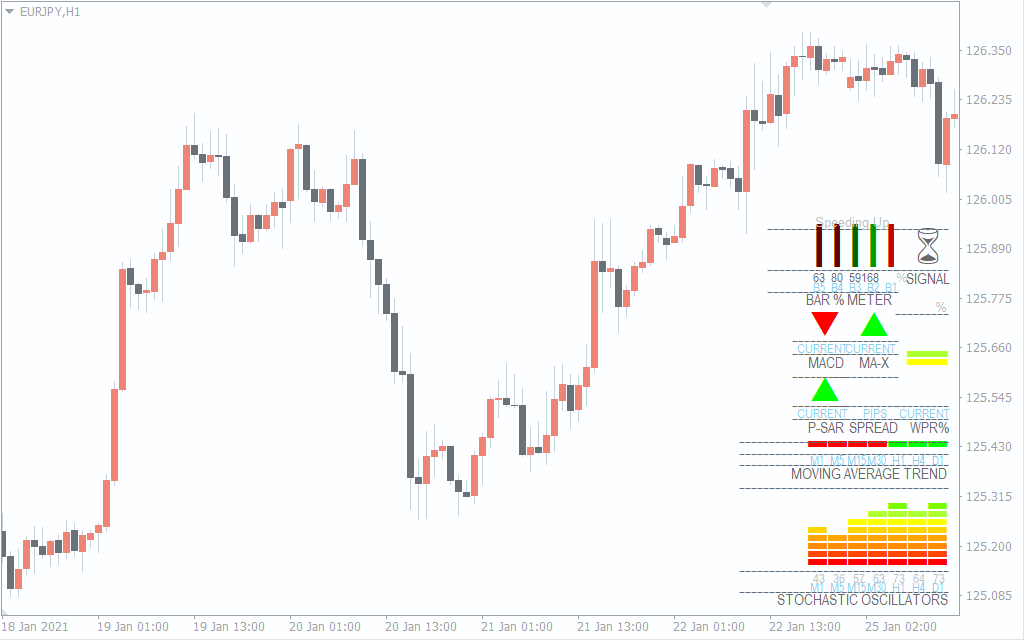
The above GBJPY M30 shows the FX multi meter indicator. The indicator provides a BUY signal based on the input from all other indicators. Since the dashboard shows most of the indicators showing an uptrend, the indicator shows a final BUY signal. The indicator avoids adding multiple indicators in the chart and displays all the information in a dashboard.
FX Multi Meter MT4 Indicators in the Dashboard
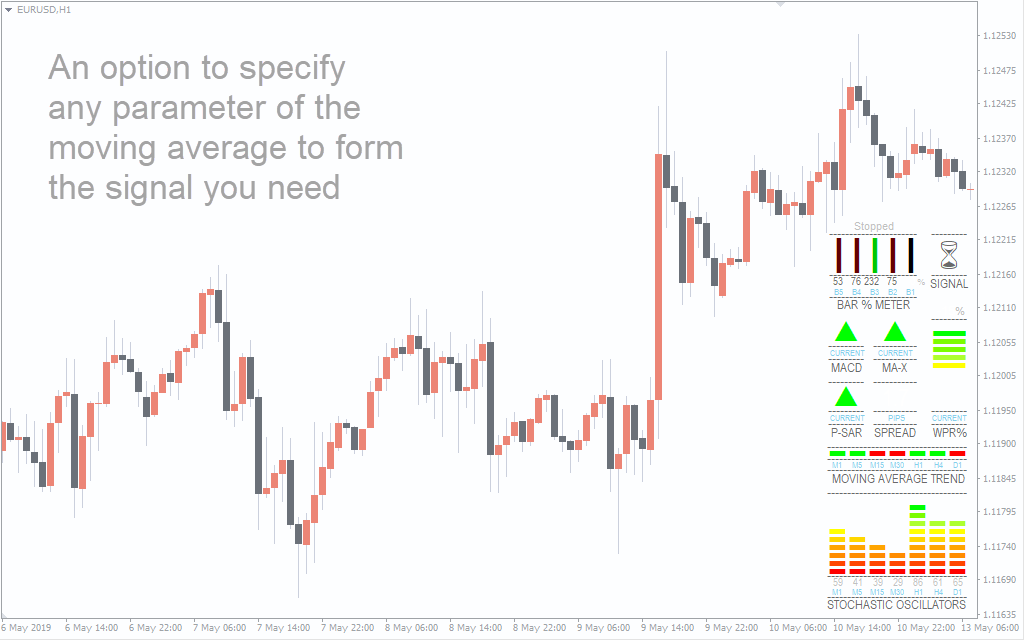
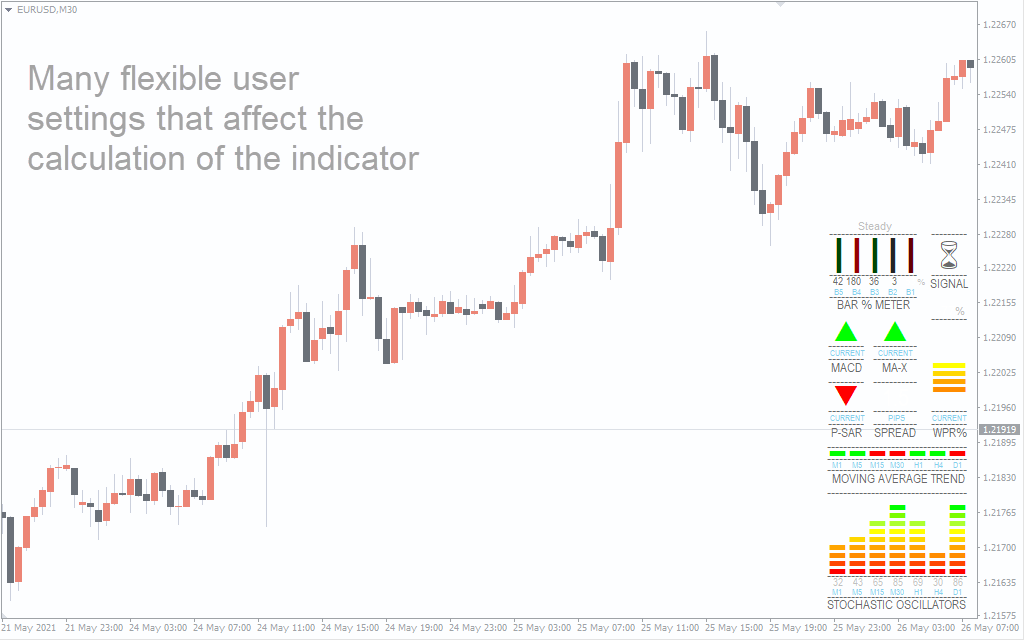
The FX multi meter MT4 indicator is a combination of the following indicators and displays the values in the dashboard.
- Bar meter: Shows the percentage of increase or decrease of the current price compared to the previous 4 Bars’ closing prices.
- MACD: MACD signal cross-over direction in the current chart.
- MA-X The direction of cross-over of the Linear weighted moving average and simple moving average.
- William’s percentages – Values based on the momentum-based William’s percentage indicator
- Parabolic Stop and Reverse Indicator- This shows the direction of the PSAR.
- Moving Averages – Shows the trend direction from M1 to D1 time frames of the currency pair.
- Stochastic Oscillator – Shows the stochastic values from M1 to D1 time frames.
- Current Spread of the currency pair.
In fact, traders can download the FX multi meter metatrader for free. Furthermore, the dashboard is simple to understand and interpret. So it is beneficial for new and experienced traders.
Pros and Cons of the FX Multi Meter Indicator
 Pros
Pros
- Combines multiple technical indicators in one interface.
- Great visual overview for fast decision-making.
- Saves chart space while showing rich information.
- Perfect for both novice and advanced traders.
- Reliable signals when multiple indicators align.
 Cons
Cons
- Doesn’t show historical signals on the chart.
- Might feel overwhelming for absolute beginners.
- Requires users to interpret the panel and not blindly follow the final signal.
Conclusion
The FX multi meter Indicator for MT4 is an essential indicator for forex traders.For the most part, it uses momentum and averages to calculate the trend direction. Moreover, the FX Multi meter metatrader indicator is free to download. To explain, the dashboard displays the values of every indicator separately. As a result, traders can get the values of multiple indicators at one place within the dashboard and base their trading decisions accordingly.
If you’re looking for a trusted trading environment to use this tool effectively, take a look at our recent broker review article: Exploring a Leading Forex Broker – FXCess Review. It might help you find the right place to test this dashboard in action.
Frequently Asked Questions (FAQ)
 Will it repaint signals or lag behind?
No, the dashboard updates live based on current candle data, and the final signal is calculated in real time using non-repainting indicators.
 Is it suitable for scalping and intraday trading?
Yes, especially since it shows data from M1 to D1, giving you flexibility to trade in any style.
 Can I use this with any MT4 broker?
Absolutely! It’s fully compatible with all MT4 brokers. You can also check our list of reliable brokers here.
 Do I need to install anything extra for this to work?
No. Just place the indicator in your Indicators folder, attach it to any chart, and you’re ready to go.